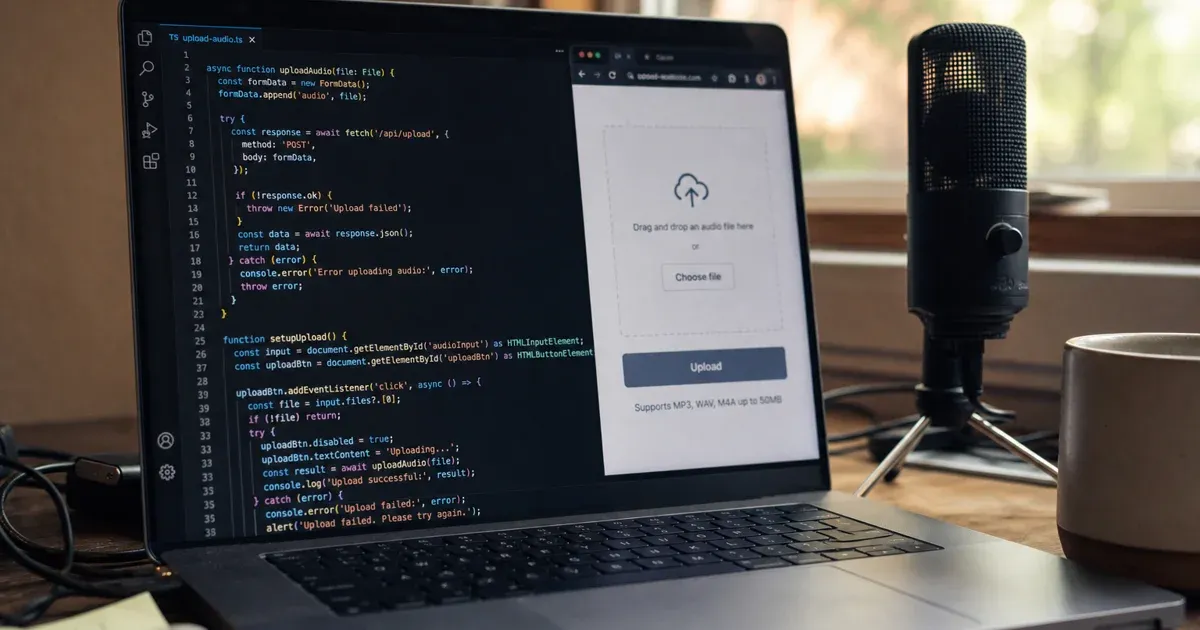
fetch call or the OpenAI Node SDK. Upload a .wav file via FormData, pass model=whisper-1, authenticate with a Bearer token, and read the transcript from JSON.
If you are building a voice chatbot, browser recorder, Node automation, or AI agent that needs speech input, you need a reliable JavaScript speech-to-text API that works in both server and client environments.
In this guide, you will learn how to transcribe audio with Privocio using fetch, the OpenAI Node SDK, and Server-Sent Events (SSE) streaming. We mirror the structure of our Python speech-to-text guide so your team can pick the language that fits your stack.
Privocio is built for teams that need private speech-to-text infrastructure with hosted or self-hosted deployment, predictable pricing, and output modes for AI workflows.
| Use case | Runtime | API style | |
|---|---|---|---|
| Audio file transcription | Node 18+ or browser | HTTP + OpenAI-compatible |
What is a JavaScript Speech-to-Text API?
A JavaScript Speech-to-Text API lets your app send audio to a transcription service and receive text back.
Instead of running models locally, your Node or browser code can:
- upload an audio file with
FormData - authenticate with an API key
- pass a model name such as
whisper-1 - optionally set language and output mode
This is useful for AI agents, voice chatbots, meeting tools, support call analysis, and internal automation.
See the short overview on our JavaScript SDK page — this post is the full tutorial.
Why use Privocio for speech-to-text in JavaScript?
Simple HTTP integration
Privocio uses Bearer authentication. The production API base is:
https://api.privocio.com
Batch transcription endpoint:
/v1/transcriptions
See JavaScript examples in the docs and the API reference.
OpenAI Node SDK compatible
Change baseURL to Privocio and keep your existing OpenAI SDK code. Privocio supports the familiar Whisper-style transcription flow — a practical Whisper API alternative for Node teams.
Streaming with SSE
For live or near-real-time transcription, use /v1/transcriptions/stream and parse SSE events in the browser or Node.
Predictable pricing
Privocio uses flat-rate packages instead of unpredictable per-minute billing — easier to budget for agents and high-volume apps.
Prerequisites
- Node.js 18+ (for server examples) or a modern browser
- an audio file, for example
recording.wav - a Privocio API key (authentication docs)
- for the SDK path:
npm install openai
JavaScript Speech-to-Text API example with fetch
This example works in Node 18+ and modern browsers (use a Blob or File instead of a filesystem path in the browser).
const API_BASE = "https://api.privocio.com";
const API_KEY = process.env.PRIVOCIO_API_KEY; // or import from env in browser build

const form = new FormData();
form.append("file", audioBlob, "recording.wav");
form.append("model", "whisper-1");
form.append("language", "en");

const res = await fetch(`${API_BASE}/v1/transcriptions`, {
  method: "POST",
  headers: { Authorization: `Bearer ${API_KEY}` },
  body: form,
});

if (!res.ok) {
  const err = await res.json().catch(() => ({}));
  throw new Error(JSON.stringify(err));
}

const data = await res.json();
console.log(data.text);
How the fetch example works
1. Build FormData
FormData carries the audio file and transcription parameters as multipart form data — the same shape Whisper-compatible APIs expect.
2. Authenticate
Pass Authorization: Bearer YOUR_API_KEY. Never hardcode keys in client-side bundles exposed to end users; proxy through your backend for production browser apps.
3. Parse the response
On success, the JSON body includes the transcript (typically a text field). Use a long timeout or AbortSignal for large files — batch jobs can take minutes.
Production pattern: environment variables
const API_BASE = "https://api.privocio.com";
const API_KEY = process.env.PRIVOCIO_API_KEY;

export async function transcribeAudio(blob, language = "en") {
  const form = new FormData();
  form.append("file", blob, "recording.wav");
  form.append("model", "whisper-1");
  form.append("language", language);

  const res = await fetch(`${API_BASE}/v1/transcriptions`, {
    method: "POST",
    headers: { Authorization: `Bearer ${API_KEY}` },
    body: form,
  });

  if (!res.ok) throw new Error(await res.text());
  return res.json();
}
OpenAI Node SDK option
import OpenAI from "openai";
import fs from "node:fs";

const openai = new OpenAI({
  apiKey: process.env.PRIVOCIO_API_KEY,
  baseURL: "https://api.privocio.com/v1",
});

const file = await fs.openAsBlob("recording.wav");
const transcript = await openai.audio.transcriptions.create({
  model: "whisper-1",
  file,
  language: "en",
});

console.log(transcript.text);
Use this when you already depend on the OpenAI SDK and only need to change the base URL. See migrate from OpenAI Whisper for a one-line switch.
Prefer Python? See the Python speech-to-text API guide.
Streaming transcription (SSE)
For segment-by-segment results, POST to the stream endpoint and read SSE blocks:
const form = new FormData();
form.append("file", audioFile);
form.append("model", "whisper-1");

const res = await fetch("https://api.privocio.com/v1/transcriptions/stream", {
  method: "POST",
  headers: { Authorization: "Bearer YOUR_API_KEY" },
  body: form,
});

const reader = res.body.getReader();
const decoder = new TextDecoder();
let buffer = "";

while (true) {
  const { done, value } = await reader.read();
  if (done) break;
  buffer += decoder.decode(value, { stream: true });

  while (buffer.includes("\n\n")) {
    const idx = buffer.indexOf("\n\n");
    const block = buffer.slice(0, idx);
    buffer = buffer.slice(idx + 2);
    const match = block.match(/^event: (.+)\ndata: (.+)$/s);
    if (!match) continue;
    const [, event, data] = match;
    const parsed = JSON.parse(data);
    if (event === "segment") console.log(parsed.text);
  }
}
Full streaming details: docs — streaming.
Batch vs streaming
- Batch — complete file already recorded (meetings, uploads, archives)
- Streaming — live voice agents, real-time captions, low-latency UX
Common errors
401 Unauthorized
Missing or invalid API key. Confirm Authorization: Bearer header and key scopes (authentication).
413 Payload Too Large
File exceeds plan limits — compress, split, or upgrade.
415 Unsupported Media Type
Wrong MIME type on the file part. Match extension to content type (e.g. audio/wav).
502 Runtime Unavailable
Retry with exponential backoff for transient failures.
Best practices
- Keep API keys on the server; never ship secrets in public frontends
- Set generous timeouts for long audio
- Validate file size and type before upload
- Pick Raw, Clean, or Agent output modes for downstream LLM use
- Review security controls for production deployments
Frequently Asked Questions
Can I use TypeScript?
Yes. The examples are TypeScript-ready — add types for the JSON response and use the official openai package with the same baseURL.
Does this work in the browser?
Yes, with fetch and FormData. Route requests through your backend if you cannot expose an API key to clients.
Batch or streaming for my app?
Batch for files; streaming for live voice. See real-time vs batch for decision detail.
Is Privocio Whisper-compatible?
Yes — model=whisper-1 and OpenAI SDK routes are supported. Compare vendors in our Privocio vs OpenAI Whisper guide.
How does pricing work?
Flat-rate plans with included hours — no per-minute surprises.
Can I use cURL or Go instead?
Yes. See our cURL speech-to-text guide and Go speech-to-text guide.
Conclusion: Start with fetch, scale to streaming
A JavaScript Speech-to-Text API is the fastest path to voice input in Node and browser apps.
With Privocio you get fetch, OpenAI SDK compatibility, SSE streaming, predictable pricing, and private deployment options.
Start building with Privocio